
티스토리 뷰
<button id = 'bt' onclick = 'bt2();'>클릭해봐</button>
function bt2(){
console.log(this);
console.log(event.target);
}

$('#bt').click(function(){
console.log(this);
console.log(event.target);
})
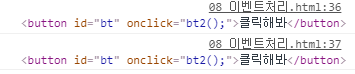
* 이벤트가 발생 됬을 때 일반 함수에서 this는 window 객체를 가르키고, jQuery에서 this는 클릭된 객체를 가르킨다.
event는 이벤트 객체를 가르킨다.
* event.target은 클릭된 객체를 가르킨다.
* 화살표 함수에서 this도 마찬가지로 window 객체를 가르킨다.
* jQuery 함수에서 this가 클릭된 객체를 가르키는 듯 하다. 단, 화살표 함수를 쓰지 않았을 때 이다.
ex)
$('#bt').click(()=>{
console.log(this); // 여기서 window 객체가 출력됨
})
$('#bt).click(function(){
console.log(this); // 여기서 클릭된 객체가 출력됨
})
document.getElementById('bt').addEventListener('click',()=>{
console.log(this); // 여기서 window 객체가 출력됨
});
document.getElementById('bt').addEventListener('click', function(){
console.log(this); // 여기서 클릭된 객체가 출력됨
});
'jQuery' 카테고리의 다른 글
| jQuery 요소가 있는지 찾는 메소드 (0) | 2020.03.07 |
|---|---|
| jQuery sideways(옆) 메소드 (0) | 2020.03.07 |
| jQuery Descendants(자손) 메소드 (0) | 2020.03.07 |
| jQuery Ancestors(조상) 메소드 (0) | 2020.03.07 |
| jQuery filter(필터링 함수) (0) | 2020.03.07 |